
1
Excel
Updated Sep 27, 2026Upgrading from Previous TagniFi Excel Add-Ins
The current version of the TagniFi for Excel Add-In is Version 6: previous versions are unsupported, and you will need to upgrade to continue using your models.
How to check your Excel Add-In version
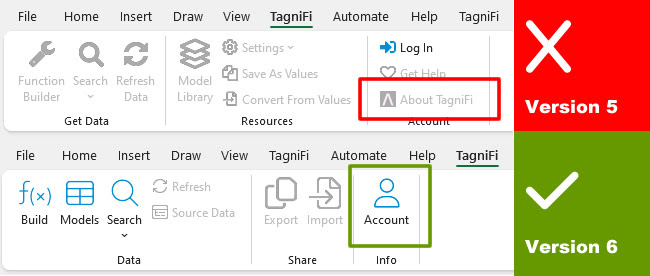
- 1Open Excel, then click on the TagniFi menu tab
- 2If you see About TagniFi, you are using Version 5 and need to upgrade.
- 3If you see Account, you are using Version 6 and do not need to upgrade.
If you are not yet on version 6, you can follow the following articles to upgrade: